
Your Vendor’s Software. Your Responsibility.

Quick take
- If a resident can’t use a vendor’s system, that’s still the town’s responsibility under Title II.
- A VPAT shows what a vendor claims. It doesn’t prove residents can actually get through the system.
- Ask for the vendor’s roadmap too: what is out of conformance, and when they plan to fix it.
- Real protection starts in the RFP and the contract, not after the system is already live.
- Monitoring doesn’t stop at renewal. If a resident or staff member flags a problem, that is when you contact the vendor’s accessibility contact.
Picture a town that just launched a new recreation portal. Registration for summer camp opens on a Monday morning. A parent who uses a screen reader logs in early, before spots fill. The program page loads fine. The dates work. Her payment card is ready.
Then checkout breaks. The form does not read correctly to her screen reader, and she cannot finish signing up her kid.
The town did not build that portal. A vendor did, and hosts it, and maintains it. But to that parent, it is a town service, not someone else’s software.
That is the gap most municipalities do not see until a resident hits it. Title II of the Americans with Disabilities Act (ADA) already requires public entities to make their services, programs, and activities accessible, and that requirement does not stop at your own website. If a vendor runs it, and residents depend on it, it is still yours.
Do you actually know?
Most municipalities lean on vendor systems constantly: recreation registration, online payments, permit applications, records portals, GIS maps, agenda platforms, job postings.
Residents never experience those as third-party software. They experience them as access to a town service.
So the real procurement question is not whether a vendor says it cares about accessibility. It is whether you know if residents can get through the tasks that matter: registering, paying, filing, searching, and downloading.
If your honest answer is “we assume so,” you do not know yet.
Can you enforce it?
Knowing there is a gap is only half the problem. The harder question is whether your contract gives you any way to close it.
If accessibility was never part of the RFP, the scoring, or the contract language, you are stuck asking nicely after the system is already live. That is a weak position, and it is avoidable.
Accessibility is a decision before the contract is signed. After that, it is cleanup, and cleanup is slower, costlier, and harder on the residents waiting on the other end.
What good procurement asks
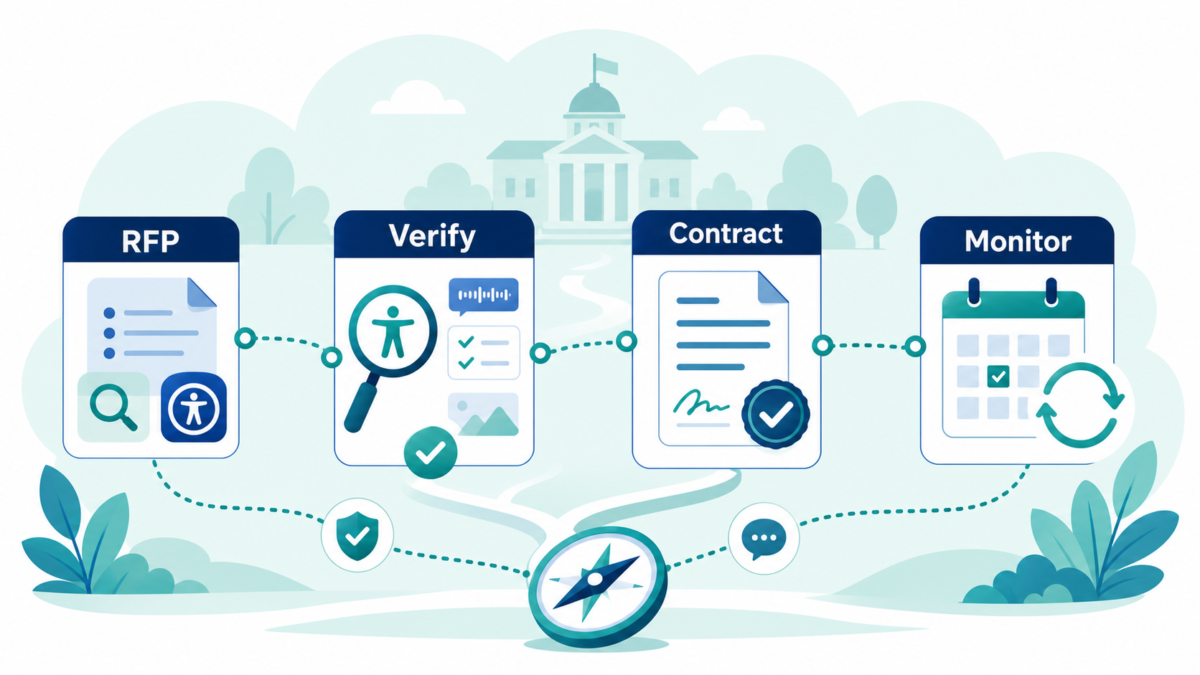
Four things belong in every RFP and every renewal conversation.
Ask. What level of conformance is the vendor’s product at, and do they have a published report to show it, such as a VPAT? If something is out of conformance today, what is their plan to fix it, and by when?
Verify. Do not take the report at its word. Test the tasks your residents actually need to complete, not just the product in general.
Contract for it. Put accessibility requirements in writing before you sign. That is what lets you hold the vendor to them later, not a conversation you remember having.
Monitor what ships. Track the vendor’s fixes against their own roadmap. If a resident or your own staff flags a problem, contact the vendor’s accessibility contact directly, rather than waiting for renewal.
These are not exotic asks. They are normal governance, the same instinct you already apply to cost and data security.
Where to start
Most municipalities we talk with have never had the chance to ask these questions systematically. That is normal. Procurement moves fast, and accessibility is rarely part of the scoring.
If you want a second read, send us the language you are using today, whether that is an RFP section, a contract clause, or a VPAT a vendor just handed you. We will give you a general read on where the gaps are and where to tighten it. Or if you prefer to meet and discuss, book a 15-minute conversation with Dirigo Interactive.
Do the work once. Do it right, starting with what you sign.